How to Reduce No-Shows at a Beauty Clinic examines reduce beauty clinic no-shows from the perspective of an owner protecting patient experience, team capacity, and clinical responsibility boundaries.
The goal is not to add as much software as possible. The goal is to build a clear, auditable inquiry and appointment workflow that keeps administrators and authorized professionals in control.
Why this matters to owners
Beauty clinics have a more complex customer journey than ordinary service businesses. Prospective patients may ask questions through several channels, appointment types have different durations, and schedules may depend on doctors, therapists, rooms, beds, devices, locations, and buffer time.
Response speed matters, but accuracy and information boundaries matter more. Administrative information can be standardized. Clinical questions, suitability assessment, risks, diagnosis, prescribing, and treatment decisions must remain with appropriate professionals.
Map the appointment journey
- A prospective patient finds the clinic through search, social media, referrals, or advertising.
- They review service information, locations, policies, and appointment options.
- An inquiry arrives through the website, chat, WhatsApp, telephone, or front desk.
- The system or staff collects minimum administrative data.
- Appointment type, location, professional, time, and resources are checked.
- The request becomes requested, held, or confirmed.
- Confirmations and reminders are sent through an approved channel.
- Changes, arrival, completion, and follow-up update the same record.
Every copy-and-paste step between chat, spreadsheets, and calendars increases the risk of lost context or conflicting schedules.
Minimum data and privacy boundaries
For booking, collect only what is genuinely needed: name, contact details, appointment type, location, time preference, inquiry source, status, required resources, communication consent, and relevant administrative notes.
Do not request sensitive health information through a marketing form merely because it may be useful later. When clinical data is required, use the processes, access controls, retention, and systems established by the clinic under applicable obligations. Booking access should not automatically provide access to complete medical records.
Principles for a healthy workflow
1. Give every status one meaning
An inquiry is not an appointment. Requested is not confirmed. Held has an expiry. Cancelled differs from rescheduled. Consistent definitions make reporting and communication more reliable.
2. Availability must validate resources
An apparently open time may not be usable. The system should check the relevant professional, location, room, bed, device, duration, setup, and buffer.
3. Separate administrative information from clinical decisions
Administrative pricing, location, hours, policies, and availability can be assisted. Diagnosis, suitability, risk, contraindications, prescriptions, and treatment decisions require authorized professionals.
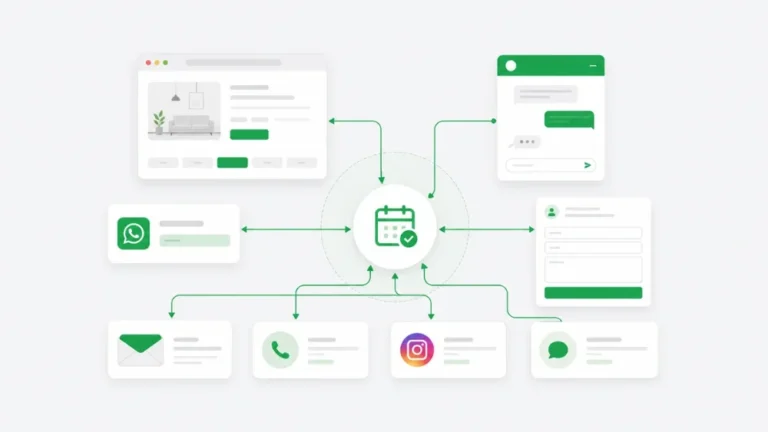
4. Every channel updates the same record
Decisions made through WhatsApp or telephone should become part of the booking record. Staff should not need to reread an entire chat to learn the latest time.
5. Automation must support human takeover
AI and automated workflows need a handoff route, escalation reason, and next owner. Patients should be able to reach a person when their case does not match standard rules.
Build one operational calendar
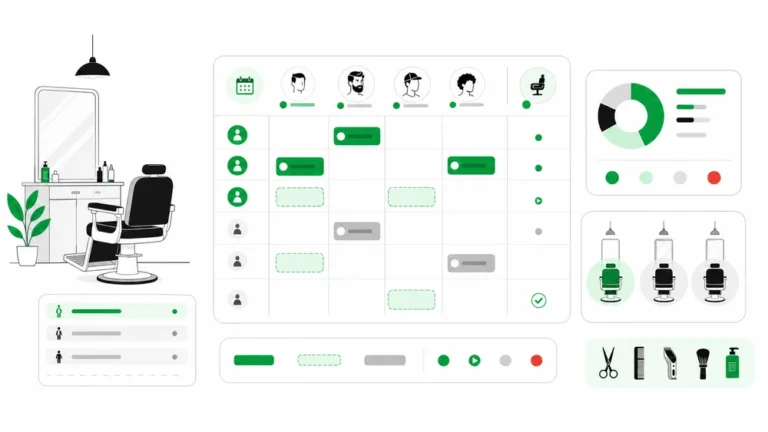
Bookings from the website, telephone, WhatsApp, walk-ins, and manual entry should reach the same calendar. That calendar must understand resources, not only a patient name and time. Doctors, therapists, rooms, beds, devices, locations, setup duration, and buffers can all be real constraints.
Use statuses with one meaning: inquiry, requested, held, confirmed, arrived, completed, cancelled, rescheduled, and no-show. Define who may change each status and which action follows the change. An activity history helps staff understand decisions without rereading every chat.
Treat changes as workflows
Rescheduling should update resources and send the latest information. Cancellations release capacity that can be offered again. No-shows trigger appropriate records and proportionate follow-up. Doctor or room changes should create a list of affected appointments for staff action.
Automation works best for low-risk decisions with clear rules. Exceptions, complaints, medical information, and policy conflicts need human review. The goal is not to remove administrators but to direct their attention toward cases that genuinely need judgment.
Specific focus: reduce beauty clinic no-shows
No-shows should be measured by appointment type, booking source, lead time, and new versus returning patients. Combine clear confirmation, proportionate reminders, easy rescheduling, and a policy disclosed before the patient agrees to book.
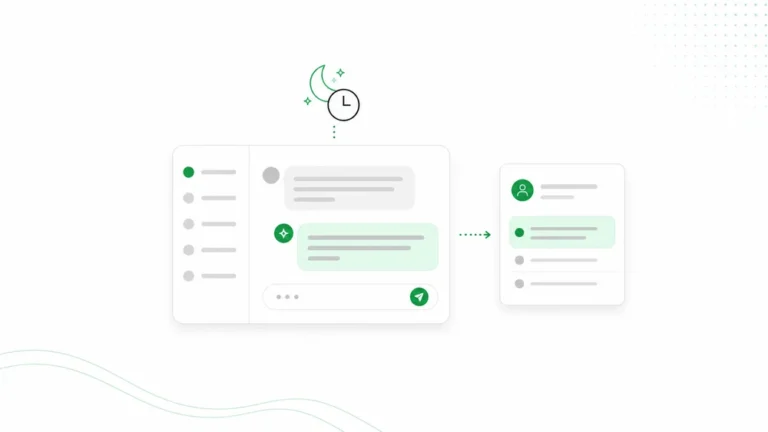
Use one or two scenarios before a full rollout. Test a standard booking, rescheduling, a resource-full case, an after-hours inquiry, and a question that must be escalated. Record where patients or staff become confused.
How Arion can help
Arion helps appointment-based businesses accept inquiries through booking pages, website chat, WhatsApp, and manual entry. Business knowledge can present approved administrative information such as service categories, locations, operating hours, indicative pricing, policies, and availability.
Bookings, administrative customer records, conversations, schedules, statuses, notifications, and follow-up can be managed through a more connected workflow. Arion supports Indonesian and English, confirmation rules, reminders, website embedding, and handoff to an owner or administrator.
Understand the product boundary
Arion is not an electronic medical record, diagnosis system, e-prescribing platform, pharmacy inventory system, laboratory system, clinical-consent system, or replacement for required healthcare integrations and reporting. It should not be used to make automated medical recommendations or promise treatment outcomes.
A clinic may use Arion as an inquiry, booking, communication, and follow-up layer alongside an appropriate clinical system. Validate data flows, access, consent, integration, retention, and regulatory obligations with competent advisors before launch.
A phased implementation
- Choose services or appointment types with the clearest rules.
- Document locations, duration, professionals, rooms, devices, and buffers.
- Define statuses and who may change them.
- Prepare administrative knowledge and questions that require escalation.
- Add manual bookings to the same calendar.
- Test website and WhatsApp journeys from a phone.
- Train the team to manage exceptions and update status.
- Review data and feedback after two to four weeks.
Metrics worth monitoring
Track response time, inquiry-to-booking rate, slots offered, booking completion, confirmation rate, cancellations, rescheduling, no-shows, lead time, utilization, handoff rate, attendance, rebooking, and returning patients.
Use metrics to improve workflows rather than drive clinical decisions or judge individuals from one number. Compare similar appointment types, locations, sources, and periods.
Owner checklist
- Are inquiry and booking statuses distinct?
- Does availability validate professionals and resources?
- Do manual bookings enter the same calendar?
- Are clinical questions always escalated?
- Are consent and communication preferences recorded?
- Do reminders provide confirmation or rescheduling routes?
- Can the owner see exceptions?
- Can data be exported and access restricted?
- Is another clinical system still required?
- Is the workflow understandable on mobile?
Conclusion
How to Reduce No-Shows at a Beauty Clinic should begin with real bottlenecks and clear responsibility boundaries. A consistent journey helps a clinic respond faster without sacrificing control, privacy, or professional decision-making.
Build records, statuses, resource rules, handoff, and ownership first. Once that foundation is stable, automation can improve efficiency and patient experience more safely.
FAQ
Does Arion replace clinic software or an EMR?
No. Arion focuses on inquiries, booking, communication, administrative customer records, and follow-up. Medical records and clinical processes require appropriate systems.
Can AI answer every patient question?
No. AI can assist with approved administrative FAQs. Clinical questions, risks, diagnosis, and suitability must be routed to authorized professionals.
Can the clinic continue using WhatsApp?
Yes. WhatsApp can remain a communication channel, while scheduling decisions should update the same booking record.
Can every appointment be confirmed automatically?
Not always. Standard appointments can follow automated rules when resources and policies are clear. Exceptions still need human review.
Next step
Read the AI customer service for beauty clinics guide and the beauty clinic appointment reminders article. Review Arion features and Arion pricing to evaluate workflow fit.