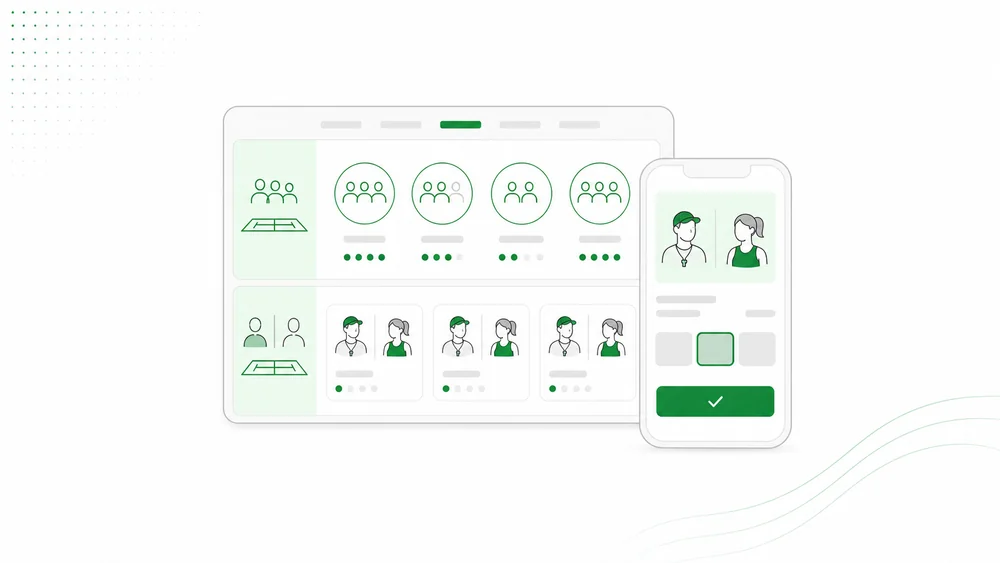
A tennis academy does not simply sell court time. It sells a learning experience involving coaches, player levels, age groups, training goals, class capacity, schedules, and communication with players or parents.
For that reason, tennis academy booking software needs to do more than display a court calendar. It should help customers find the right program while giving owners a clear operational view.
Why manual chat becomes a problem
At an early stage, an academy may manage bookings through WhatsApp. A customer asks a question, the admin offers a schedule, and the booking is recorded manually.
As the business grows, admins repeatedly answer:
- Is it suitable for beginners?
- What is the minimum age?
- Should I choose private or group?
- Who is the coach?
- Are rackets available?
- How long is the lesson?
- Which times are open?
- Can I reschedule?
- How much is the deposit?
Without a system, information can differ between admins. Coach schedules may conflict with courts or other classes.
Common tennis academy products
Private lessons
One coach works with an individual or small group. Customers often consider the coach, schedule, level, and training objective.
Group classes
Several participants join the same session. Capacity and minimum attendance become important.
Junior programs
Children’s programs need additional data such as age, emergency contacts, parent information, waivers, and level.
Intensive clinics
A clinic may include several sessions across one or more days.
Tennis camps
A multi-day program may include training, accommodation, meals, fitness, and complementary activities.
One academy may sell all of these products. The booking flow should distinguish between them.
Customer-facing requirements
Customers need a simple journey:
- Review available programs.
- Understand who each program is for.
- See pricing and inclusions.
- Choose a date or submit an inquiry.
- Provide player details.
- Pay a deposit when required.
- Receive confirmation and instructions.
International customers also need English information, clear time zones, meeting points, and weather policies.
Owner-facing requirements
Owners need:
- a class calendar
- capacity per session
- coach assignment
- coach unavailability
- player records
- booking status
- payment and deposit status
- rescheduling
- customer notes
- activity logs
- reminders
- participant manifests
- revenue and utilization reporting
The goal is not a complicated dashboard. It is to make today’s operations visible and highlight what needs attention.
Coach assignment and schedule conflicts
Coaches are resources, just like courts.
A system should ideally show:
- assigned coaches
- coach leave
- schedule conflicts
- sessions without a coach
- soft capacity per coach
- daily manifests
Automatic assignment should not always be mandatory. Academy owners may need final control based on player level, language, gender preference, or an existing customer relationship.
Player level as operational data
Player level should not remain buried in a chat note.
It can help the academy:
- recommend programs
- avoid mismatched group classes
- prepare coaches
- set training intensity
- organize camps
- improve returning-customer experiences
Use customer-friendly labels such as first timer, beginner, intermediate, and advanced. Technical rating systems may be useful for competitive players but confusing for tourists.
Deposits and cancellation policies
A tennis academy has limited inventory: coach time and court time.
Deposits can reduce low-intent reservations. The booking experience should clearly show:
- deposit amount
- payment deadline
- payment status
- cancellation policy
- rescheduling policy
- no-show consequences
Policies should be visible before submission, not introduced only after a problem occurs.
Guest booking or customer accounts?
Guest booking often converts better for travelers and first-time customers. They should not need to create a password for one lesson.
Accounts become valuable when the academy offers memberships, session credits, progress tracking, or recurring programs.
The two layers can be introduced gradually. Avoid friction until the account provides clear customer value.
AI booking assistants for tennis academies
AI can help customers choose a program without waiting for an admin.
Example messages include:
- “I have never played before.”
- “My child is nine years old.”
- “We are two people and want a private lesson.”
- “We are only in Lombok for three days.”
- “Do you have an English-speaking coach?”
An AI assistant can use the academy knowledge base, collect player details, check slots, and create a booking request.
When the customer needs a tailored program or the owner must assess level first, the assistant can create an inquiry and escalate it.
How Arion supports tennis academies
Arion provides three relevant booking modes.
Session mode
For private lessons and group classes. Customers choose a service, date, and time slot. Capacity can be enforced for classes.
Camp mode
For tennis camps and multi-day intensive programs. Businesses can manage date ranges, occupancy, room capacity, deposits, and participant information.
Inquiry mode
For corporate groups, school programs, events, and tailored packages.
Owners also have booking lists, calendars, customer records, payment tracking, rescheduling, staff assignment, and a conversation inbox.
Limits to understand
Arion is not currently designed for:
- tournament brackets
- player rankings
- opponent matchmaking
- complex membership wallets
- automated recurring billing
- court-access hardware
- a full learning-management system
Academies requiring these functions may use another specialist product alongside the booking layer.
An implementation checklist
Before launch, prepare:
- program list
- level descriptions
- duration
- pricing
- capacity
- coaches
- availability
- meeting points
- equipment inclusions
- deposits
- policies
- FAQs
- emergency contact flow
- confirmation notes
Test the full booking journey on a mobile device. A customer should be able to complete it without admin support.
Conclusion
Good tennis academy booking software understands that the academy sells more than court time.
Private lessons need coaches and customer context. Group classes need capacity. Junior programs need safety data. Camps need date ranges and accommodation. Tailored programs need inquiry handling.
Arion can support academies seeking cleaner bookings, AI chat, customer data, deposits, and owner operations. Tournament management, advanced memberships, and player marketplaces may still require specialist tools.
FAQ
What are the key features of tennis academy booking software?
Program catalogs, time slots, capacity, coach assignment, player records, deposits, rescheduling, reminders, and customer history.
Can it support junior programs?
Yes, when the system collects age, emergency contacts, waivers, and required parent information.
Must customers choose a coach?
Not always. The academy can assign the coach after the booking is received.
Can tennis camps use the same platform?
Yes, when the platform supports multi-day booking and accommodation capacity, as Arion’s camp mode does.